Traces
End-to-end visibility into agent execution.
Read traces in the dashboard — the REST API is not public yet
What runs today: traces are captured, stored, and shown in the dashboard. Everything on this page about what a trace is, and how to read one in the product, is current.
What does not run yet: the trace REST endpoints are not exposed outside the platform in this release, so a request from your own machine cannot reach them. The REST API reference describes them for when they are.
A trace represents a complete execution from request to response.
Trace Structure
Trace (trace_id: abc123)
├── Root Span (agent: orchestrator)
│   ├── LLM Span (model: gpt-4o, 234ms)
│   ├── Tool Span (tool: search, 1200ms)
│   └── Agent Span (agent: researcher)
│       ├── LLM Span (model: gpt-4o-mini, 156ms)
│       └── Tool Span (tool: fetch, 89ms)
└── Metadata
    ├── session_id
    └── environment
Trace Attributes
| Attribute | Type | Description |
|---|---|---|
trace_id | string | Unique 32-char hex identifier |
start_time | timestamp | Trace start time |
end_time | timestamp | Trace end time |
duration_ms | number | Total duration in milliseconds |
has_errors | boolean | true when a span of the trace has an error |
span_count | number | Total spans in trace |
total_tokens | number | Sum of all LLM tokens |
total_cost_usd | number | Sum of all LLM costs |
agent_names | list | Names of the agents in the trace |
error_codes | list | Error messages that the trace lists |
Viewing Traces
Trace List
The trace list shows all traces with key metrics:
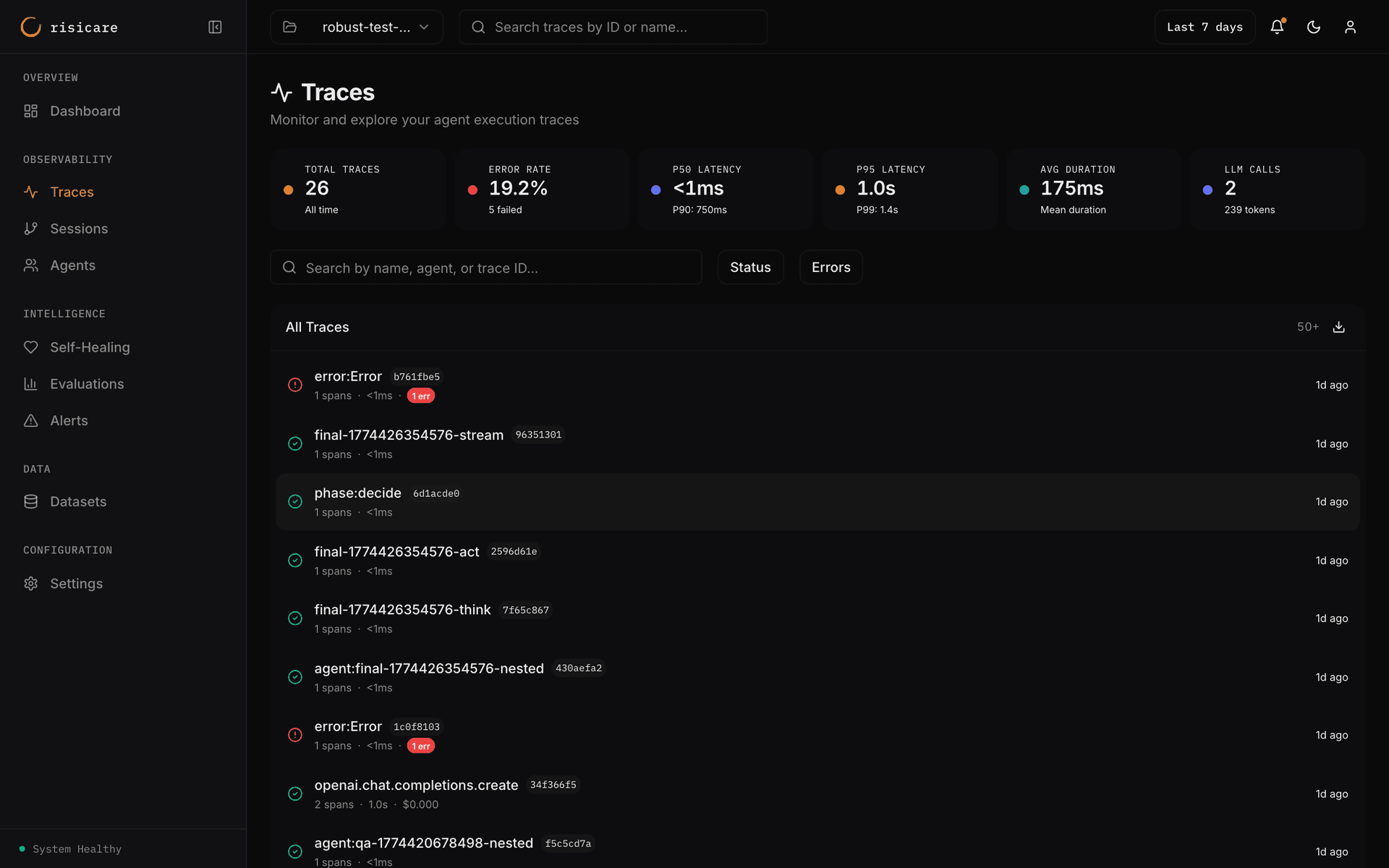
The KPI strip at the top shows: Total Traces, Error Rate, P50 Latency (with P90), P95 Latency (with P99), Avg Duration, and LLM Calls (with token count).
| Column | Description |
|---|---|
| Name | Name of the root span. Click to view details |
| Trace ID | Shortened trace ID |
| Spans | Number of spans |
| Duration | Total latency |
| Cost | Total USD cost |
| Errors | Error badge, when the trace has errors |
| Time | When the trace occurred |
Filtering
Filter the trace list with the controls above it and the search box. There is no field:value query language — see Filtering and Search.
Trace Detail View
Waterfall
Click any trace to see the full execution waterfall with nested spans, timing, and LLM details:
The waterfall shows:
- Span hierarchy with parent-child nesting
- Parallel execution paths
- Timing relationships
- Per-span details (model, tokens, cost) in the detail panel
Timeline and Raw JSON
The trace page has three tabs: Span Waterfall, Timeline and Raw JSON.
Span Detail
Select a span to open its detail panel. The panel has the tabs Attributes and Events, and Tool I/O and Exceptions when the span has them. Prompt and completion text, when captured, appears among the attributes.
Content Privacy
Prompt and completion content is off by default. It is captured only when you pass trace_content=True to risicare.init() (or set RISICARE_TRACE_CONTENT=true).
Exporting Traces
API Export
Not available with an API key during the beta.
Dashboard Export
From the trace list, open the export menu and choose Export CSV or Export JSON. An export includes at most 100 traces. You cannot select individual traces to export.
Trace Sampling
For high-volume applications:
risicare.init(
    sample_rate=0.1  # Capture 10% of traces
)
Sampling is deterministic by trace_id for consistency.