Sessions
Track user interactions across multiple traces.
Read sessions in the dashboard — the REST API is not public yet
What runs today: related traces are grouped into sessions and shown in the dashboard. Everything on this page about what a session is, and how to read one in the product, is current.
What does not run yet: the session REST endpoints are not exposed outside the platform in this release, so a request from your own machine cannot reach them. The REST API reference describes them for when they are.
Sessions group related traces from a single user interaction or conversation.
What is a Session?
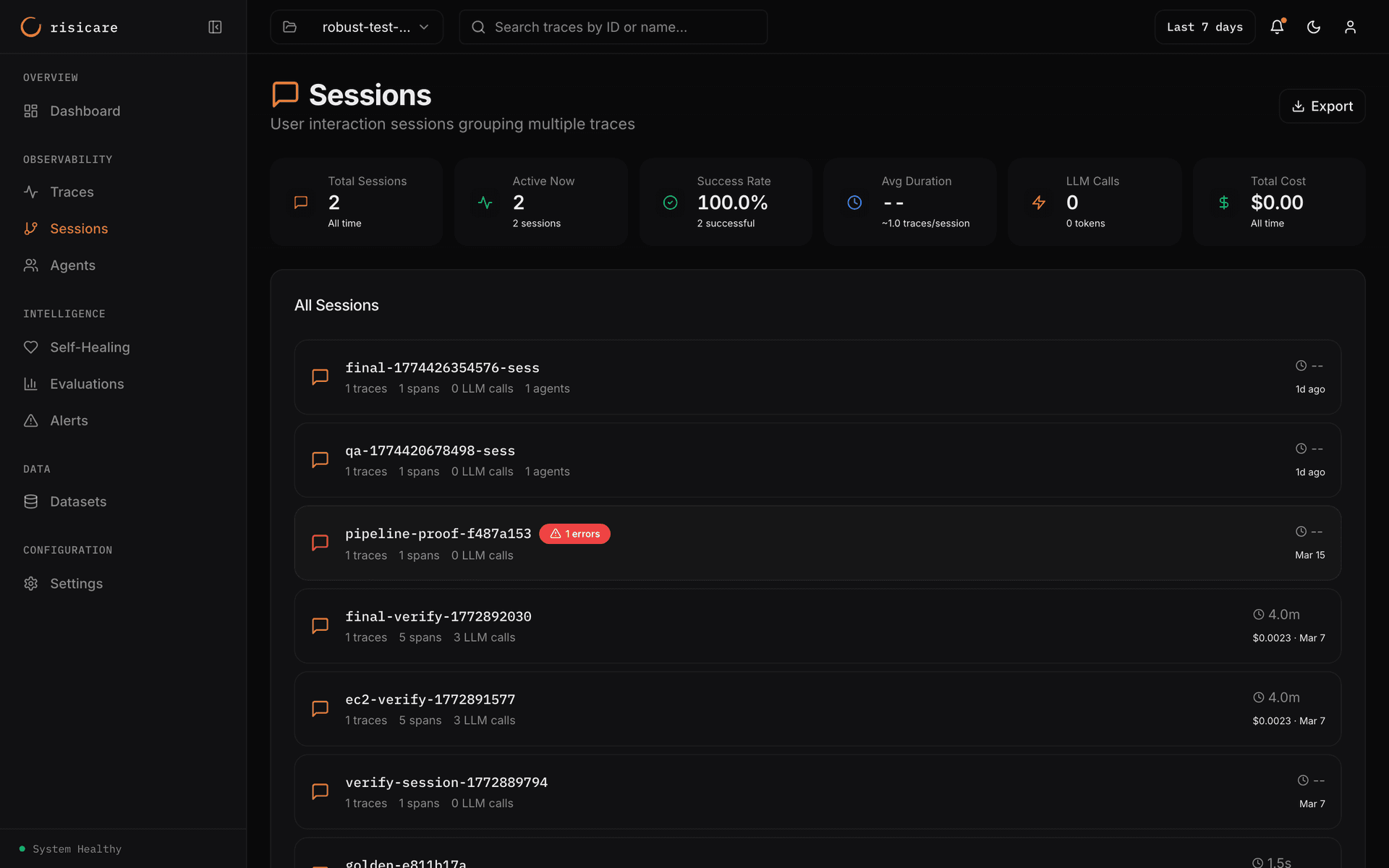
The KPI strip shows: Total Sessions, Unclosed, Success Rate, Avg Duration (with traces/session), LLM Calls (with tokens), and Total Cost.
A session represents a continuous user interaction that may span multiple requests:
Session (session_id: sess-abc123)
├── Trace 1: "Hello, how can I help?"
├── Trace 2: "Search for Python tutorials"
├── Trace 3: "Show me the first result"
└── Trace 4: "Thanks, goodbye"
Creating Sessions
Automatic
Sessions are created automatically when you provide a session ID:
from risicare import session_context

async def handle_message(user_id: str, session_id: str, message: str):
    with session_context(session_id=session_id, user_id=user_id):
        response = await agent.process(message)
        return response
Multi-Turn Conversations
Track conversation turns within a session:
with session_context(
    session_id="sess-abc123",
    user_id="user-456",
    turn_number=3,
    metadata={
        "source": "web",
        "device": "mobile",
        "locale": "en-US"
    }
):
    # All traces here belong to turn 3 of this session
    await process_request()
The turn_number parameter (default: 1) tracks which turn of the conversation a trace belongs to. Increment it for each user message in a multi-turn chat.
Session Attributes
| Attribute | Type | Description |
|---|---|---|
session_id | string | Unique session identifier |
user_id | string | Optional user identifier |
start_time | timestamp | Start time of the first span |
end_time | timestamp | End time of the last span |
duration_ms | number | Total session duration |
trace_count | number | Number of distinct trace IDs in the session |
total_tokens | number | Sum of all tokens |
total_cost_usd | number | Sum of all costs |
Each time a session_context() block ends, or a @session call that has a session ID ends, the SDK sends a session.end marker span. If no span is active at that moment, the marker is a trace of its own: it appears in the trace list as a trace named session.end. The session's span count and trace count include each marker. So a session shows one more span, and can show one more trace, for each time your code enters and leaves it: a session that your code enters three times shows three more. The JavaScript SDK does the same for withSession() and session().
Session List View
View all sessions with:
| Column | Description |
|---|---|
| Session ID | Click to view details |
| User ID | User identifier, when one is set |
| Traces, spans, LLM calls, agents | Counts for the session |
| Duration | Total session length |
| Cost | Total USD cost |
| Start time | When the session started |
Session Detail View
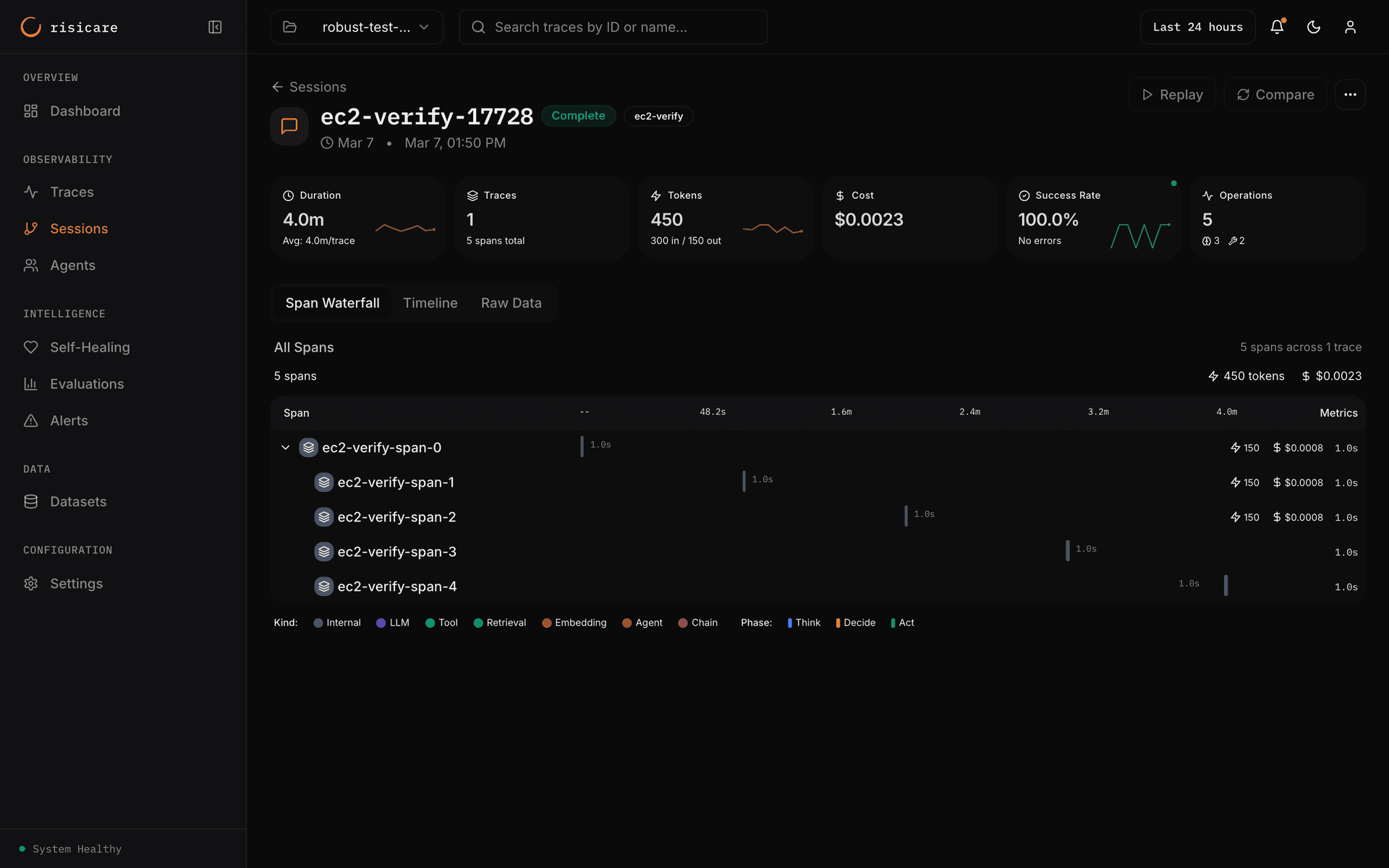
The session page shows the KPI cards Duration, Traces, Tokens, Cost, Success Rate and Operations, and the tabs Span Waterfall, Timeline, Agent Messages (when the session has agent messages) and Raw Data.
Filtering Sessions
The Management API is not available with an API key during the beta, so you cannot filter sessions over HTTP. There is no field:value query language — a filter such as cost:>1.00 or trace_count:>5 is not supported.
Session Continuity
Traces are grouped into a session purely by their session_id — reuse the same ID and the traces belong to the same session, no matter how much time passes between them. There is no inactivity timer; sessions are not auto-closed.
# First interaction
with session_context(session_id="sess-123"):
    await process("Hello")

# Any time later - same session, because the session_id matches
with session_context(session_id="sess-123"):
    await process("I have a follow-up question")
Privacy Considerations
User ID Hashing
For privacy, hash user IDs before sending:
import hashlib

def hash_user_id(user_id: str) -> str:
    return hashlib.sha256(user_id.encode()).hexdigest()[:16]

with session_context(
    session_id=session_id,
    user_id=hash_user_id(real_user_id)
):
    handle_request()